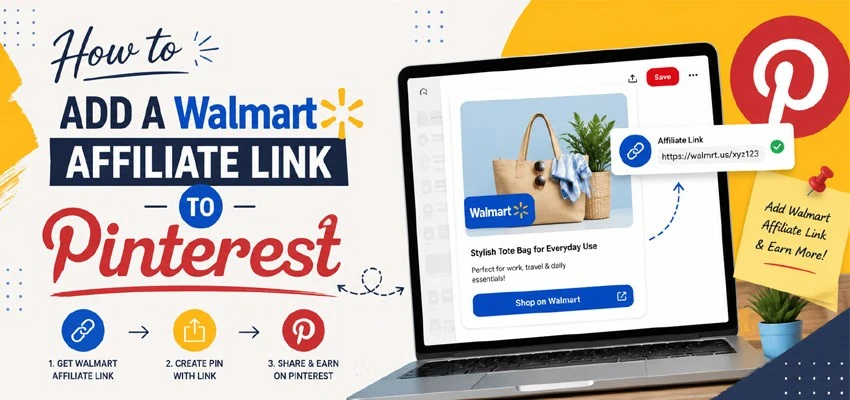
How to Add a Walmart Affiliate Link to Pinterest
Pinterest and affiliate marketing are a natural pair. Pinterest functions as a visual search engine where millions of users actively look for product recommendations, shopping ideas, and buying inspiration every single day. Walmart, one of the largest retailers in the world, runs a generous affiliate program that pays commissions when people click your links and make purchases. Combining the two creates a genuine passive income opportunity — one that keeps delivering long after you have done the initial work.
This guide covers everything from joining the Walmart affiliate program to creating Pins that convert, so you can start earning commissions through Pinterest without needing a blog, a large following, or any technical background.
Understanding How Walmart Affiliate Links Work on Pinterest
Before diving into the steps, it helps to understand the basic mechanics. When you join the Walmart affiliate program, you receive unique tracking links for any product on Walmart’s website. When someone clicks your link and completes a purchase, Walmart credits the sale to your account and pays you a percentage commission — typically ranging from one to four percent depending on the product category.
Pinterest allows affiliate links to be added directly to Pins. This means you can create a Pin featuring a Walmart product, attach your affiliate link to it, and earn a commission every time someone taps through and buys. There is no need for a middleman blog post or landing page, though those can boost results if you have them.
The key thing to understand is that Pinterest explicitly permits affiliate links as long as you disclose that your content is affiliate-based. Transparency is not just an ethical requirement — it is also mandated by the FTC in the United States and similar regulatory bodies in other countries. Failing to disclose can result in account penalties on Pinterest and legal exposure for you.
Step 1: Join the Walmart Affiliate Program
The first step is getting approved for the Walmart affiliate program. Walmart runs its program through Impact, a well-established affiliate marketing network.
To apply, visit affiliates.walmart.com and click the “Sign Up” or “Join Now” button. You will be redirected to Impact’s platform, where you create an account and fill out an application. The application asks for basic information about yourself, your promotional channels (in this case, Pinterest), your website if you have one, and how you plan to drive traffic.
When filling out the application, be honest and specific about using Pinterest as your primary channel. Describe the type of content you plan to create — product recommendations, shopping guides, curated boards — and mention the niche you focus on. Applications that are vague tend to get rejected. If you do not have a website, list your Pinterest profile URL as your main channel.
Approval typically takes one to three business days. Once approved, you gain access to the Impact dashboard, where you can generate affiliate links for any product on Walmart’s website.
Step 2: Generate Your Walmart Affiliate Link
Once your account is approved and you are logged into the Impact dashboard, generating affiliate links is straightforward.
Navigate to the “Content” or “Links” section of your Impact dashboard. You will find a link-building tool where you can enter any Walmart product URL and convert it into a tracked affiliate link. Simply go to walmart.com, find the product you want to promote, copy its URL, paste it into the link generator on Impact, and click generate. The tool produces a unique affiliate URL that tracks clicks and purchases back to your account.
Copy this link and keep it handy — you will need it in the next step when creating your Pinterest Pin.
Some affiliates also use the Impact Chrome Extension, which adds a button directly inside your browser so you can generate affiliate links while browsing Walmart’s website without switching tabs. If you plan to create Pins regularly, installing the extension saves meaningful time.
Step 3: Create a Pinterest Business Account (If You Haven’t Already)
To use affiliate links effectively on Pinterest, you need a Pinterest Business account. Personal accounts work technically, but a Business account gives you access to Pinterest Analytics, which tells you which Pins are driving clicks and conversions. Without that data, you are flying blind.
If you already have a Business account, skip ahead. If not, go to pinterest.com/business/create and set one up — it is free and takes under five minutes. Choose a niche-focused username, write a keyword-rich bio that describes what kind of products and recommendations you share, and upload a professional profile image or logo.
Once your account is live, claim your website if you have one. Even if your primary channel is Pinterest itself, a claimed website adds credibility and unlocks additional analytics.
Step 4: Create a Board for Your Walmart Products
Before creating individual Pins, build a dedicated board — or several — where your Walmart affiliate Pins will live. Well-organized boards help Pinterest’s algorithm understand your content and surface it to the right audiences.
Create board names that are descriptive and search-friendly. Instead of “My Favorites,” use names like “Best Walmart Kitchen Finds,” “Walmart Home Décor Ideas,” or “Walmart Fitness Gear Under $50.” These titles reflect what real users type into Pinterest’s search bar, and boards with keyword-rich names rank better in search results.
Write a thorough board description for each board using natural language and relevant keywords. Boards with complete descriptions consistently outperform empty ones in Pinterest’s discovery algorithm.
Step 5: Create a Pin and Add Your Walmart Affiliate Link
This is the core of the process — where your affiliate link meets your audience.
Designing Your Pin Image
Click the “+” icon on your Pinterest dashboard and select “Create Pin.” Pinterest will prompt you to upload an image. The image is the most important element of your Pin, since it is what stops users scrolling and draws them in.
For Walmart product Pins, you have a few image options. You can use Walmart’s official product images, which are generally high resolution and already optimized for e-commerce. You can also create custom graphics using a tool like Canva, overlaying the product image with a headline, your branding, and a call-to-action like “Shop Now” or “Get the Deal.” Custom graphics tend to perform better because they stand out from standard product listing screenshots.
Always use vertical images with a 2:3 aspect ratio — 1000 x 1500 pixels is the standard recommendation. Vertical Pins take up more space in the feed and get significantly more impressions than square or horizontal images.
Writing Your Pin Title and Description
Write a compelling Pin title that includes the product name and a relevant keyword. For example: “Walmart Air Fryer – Best Budget Pick for Quick Weeknight Meals” or “Walmart Patio Furniture Set Under $300 – Summer Outdoor Decor.”
In the Pin description, write two to four sentences that naturally describe the product, highlight its main benefits, and include a clear call-to-action. Weave in relevant keywords without forcing them — Pinterest’s algorithm reads descriptions and uses them to decide who sees your Pin.
Adding Your Affiliate Link and Disclosure
In the destination link field, paste your Walmart affiliate link. Double-check that it is the full affiliate URL from Impact, not the plain Walmart product page — the tracking parameters in the link are what get you credited for sales.
Directly in your Pin description, add a clear disclosure. The standard approach is to include “#ad” or “#affiliate” or a short phrase like “This post contains affiliate links. I may earn a commission if you purchase through my link at no extra cost to you.” Keep it brief, but make it visible. Pinterest supports this practice and it keeps you compliant with FTC guidelines.
Step 6: Publish and Optimize for Discovery
Once your Pin details are complete, select the relevant board from the dropdown menu and click “Publish.” Your Pin is now live with your Walmart affiliate link embedded.
To maximize visibility after publishing, consider a few optimization habits. Pin consistently — accounts that publish regularly benefit from Pinterest’s algorithm more than those that post in bursts. Aim for five to fifteen Pins per day if possible, mixing your affiliate content with non-affiliate Pins to keep your profile balanced and trustworthy.
Use Pinterest’s keyword research by typing product-related terms into the search bar and noting the autocomplete suggestions. These are real searches users are performing, and tailoring your Pin titles and descriptions around them dramatically improves your reach.
Repin your top-performing Pins to additional relevant boards to extend their lifespan. A single well-optimized Pin can continue generating clicks and commissions months after its original publish date.
Tips for Maximizing Walmart Affiliate Earnings on Pinterest
Focus on seasonal and trending products. Walmart’s inventory aligns with holidays, seasonal changes, and trending categories — back-to-school, holiday gifting, summer outdoor gear — and Pins tied to these moments see predictable spikes in traffic.
Promote products in mid-price ranges. Very cheap products generate low commission dollar amounts even with good click volume. Very expensive items can have lower conversion rates. Products priced between $30 and $200 often hit the sweet spot of decent commissions and strong buying intent.
Create curated list Pins rather than single-product Pins where possible. A Pin titled “10 Best Walmart Kitchen Gadgets Under $40” gives users more reasons to click than a single product feature, and it allows you to include multiple affiliate links in one piece of content if you link to a blog post or idea Pin format.
Monitor your Impact dashboard regularly to see which products are generating clicks and conversions. Double down on what works and retire what does not.
Final Thoughts
Adding Walmart affiliate links to Pinterest is one of the most accessible ways to start earning passive income online. The barrier to entry is low, the tools are free, and the audience on Pinterest is already primed to shop. What separates successful Pinterest affiliates from those who give up early is consistency, attention to quality, and a willingness to learn from their analytics.
Set up your accounts, create your first batch of Pins, stay transparent with your audience, and give your content time to gain traction. Pinterest rewards patience — and so does affiliate marketing.