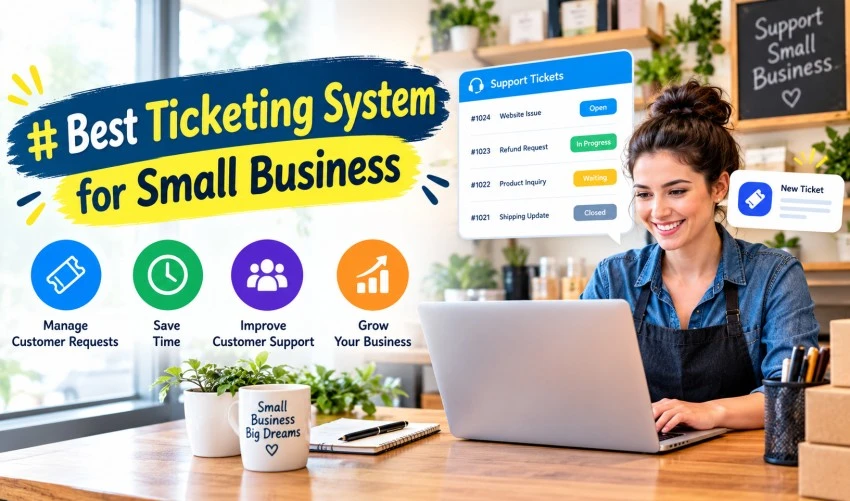
Best Ticketing System for Small Business
Customer service plays a critical role in the success of any small business. Whether you operate an eCommerce store, a software company, a local service business, or a growing startup, managing customer inquiries efficiently can directly impact customer satisfaction and retention. As businesses grow, handling support requests through emails, phone calls, and social media messages can quickly become overwhelming. This is where a ticketing system becomes essential.
A ticketing system helps businesses organize, track, prioritize, and resolve customer inquiries in a structured manner. Instead of losing important messages in crowded inboxes, every customer request is converted into a ticket that can be monitored from creation to resolution. For small businesses looking to deliver professional customer support while maintaining efficiency, implementing the right ticketing system can be a game-changing decision.
What Is a Ticketing System?
A ticketing system is a software solution that centralizes customer support requests and converts them into manageable tickets. These tickets contain customer information, issue details, communication history, assigned support agents, and resolution status.
The system allows support teams to:
- Receive customer inquiries from multiple channels
- Assign tickets to appropriate team members
- Track ticket progress
- Prioritize urgent issues
- Maintain communication history
- Monitor performance metrics
- Improve response and resolution times
By creating an organized workflow, ticketing systems help small businesses provide faster and more consistent customer service.
Why Small Businesses Need a Ticketing System
Many small business owners initially rely on email inboxes to manage customer support. While this may work during the early stages, it often becomes inefficient as customer inquiries increase.
A ticketing system provides several advantages:
Improved Organization
Customer requests from emails, chat, social media, and websites are stored in one central location. This prevents inquiries from being overlooked or forgotten.
Faster Response Times
Support teams can quickly identify new tickets, assign responsibilities, and respond promptly to customer concerns.
Better Customer Experience
Customers appreciate timely responses and clear communication. A ticketing system ensures inquiries are handled professionally and consistently.
Increased Productivity
Automation features reduce manual tasks, allowing support agents to focus on solving customer issues rather than managing emails.
Scalability
As your business grows, a ticketing system can easily accommodate increasing customer interactions without creating operational bottlenecks.
Key Features of the Best Ticketing Systems
Not all ticketing systems are created equal. Small businesses should evaluate software based on features that align with their support needs and growth goals.
Multi-Channel Support
Modern customers contact businesses through various channels including:
- Live chat
- Social media
- Contact forms
- Phone support
A good ticketing system gathers inquiries from all channels into a single dashboard, making management easier.
Automated Ticket Routing
Automation allows incoming tickets to be assigned automatically based on factors such as:
- Department
- Issue type
- Priority level
- Customer category
This reduces response delays and improves workflow efficiency.
Knowledge Base Integration
Many ticketing systems include self-service knowledge bases where customers can find answers independently.
Benefits include:
- Reduced support workload
- Faster problem resolution
- Improved customer satisfaction
Reporting and Analytics
Analytics help businesses understand support performance by tracking:
- Response times
- Resolution rates
- Ticket volume
- Customer satisfaction scores
These insights support continuous improvement.
Collaboration Tools
Support teams often need to work together to resolve complex issues. Internal notes, team mentions, and shared ticket histories make collaboration more efficient.
Mobile Accessibility
Mobile-friendly platforms allow support teams to manage tickets remotely, ensuring timely responses regardless of location.
Characteristics of the Best Ticketing System for Small Business
Choosing the best ticketing system requires more than selecting the software with the most features. Small businesses should prioritize solutions that offer the right balance of functionality, affordability, and ease of use.
User-Friendly Interface
Complicated systems can increase training time and reduce adoption rates. The best solutions feature intuitive dashboards and simple workflows.
Affordable Pricing
Small businesses often operate with limited budgets. A ticketing system should provide essential functionality without excessive costs.
Customization Options
Every business has unique support processes. Flexible customization allows businesses to create workflows that fit their specific requirements.
Reliable Customer Support
Software providers should offer dependable technical support to help businesses maximize system performance and address issues quickly.
Integration Capabilities
A ticketing system should integrate with other business tools such as:
- CRM platforms
- Email software
- Project management tools
- Communication platforms
- E-commerce systems
Integrations streamline operations and improve efficiency.
Benefits of Implementing a Ticketing System
Enhanced Customer Satisfaction
Customers value prompt and accurate responses. Ticketing systems help businesses meet customer expectations by ensuring inquiries are addressed efficiently.
Better Team Accountability
Managers can track ticket ownership, monitor progress, and evaluate employee performance. This promotes accountability and transparency.
Reduced Risk of Missed Requests
Without a ticketing system, customer emails can be overlooked or forgotten. Centralized tracking significantly reduces this risk.
Improved Resource Allocation
Support managers can identify workload distribution and assign resources more effectively during peak periods.
Data-Driven Decision Making
Performance reports help identify recurring customer issues, allowing businesses to make informed improvements to products, services, and support processes.
Common Use Cases for Small Businesses
Ticketing systems can support various industries and business models.
E-Commerce Businesses
Online retailers use ticketing systems to manage:
- Order inquiries
- Shipping questions
- Return requests
- Product support
IT Service Providers
Technology companies often use ticketing systems to handle:
- Technical support
- Incident management
- Service requests
- Maintenance updates
Professional Service Firms
Consultants, agencies, and legal firms use ticketing platforms to organize client communication and support requests.
SaaS Companies
Software businesses rely heavily on ticketing systems to provide technical support, onboarding assistance, and account management.
How to Choose the Right Ticketing System
Selecting the right solution requires careful evaluation of business requirements.
Identify Support Volume
Estimate the number of support requests your business receives monthly. This helps determine the level of functionality required.
Define Essential Features
Focus on features that address your immediate needs rather than paying for unnecessary capabilities.
Consider Future Growth
Choose a platform that can scale alongside your business as customer demand increases.
Test the Software
Most providers offer free trials or demonstrations. Testing allows businesses to evaluate usability and determine whether the system fits their workflow.
Evaluate Security
Customer information must be protected. Look for solutions that offer secure data storage, encryption, and compliance with relevant regulations.
Mistakes to Avoid When Selecting a Ticketing System
Choosing Based Solely on Price
The cheapest option may lack important functionality, resulting in inefficiencies and future costs.
Ignoring User Experience
A difficult-to-use platform can reduce productivity and frustrate support staff.
Overlooking Integration Needs
Disconnected systems often create duplicate work and fragmented customer information.
Failing to Train Employees
Even the best software requires proper training to maximize its effectiveness.
Future Trends in Ticketing Systems
Customer support technology continues to evolve rapidly. Several trends are shaping the future of ticketing systems:
Artificial Intelligence
AI-powered tools help automate responses, categorize tickets, and suggest solutions.
Chatbot Integration
Chatbots can resolve common customer questions before human intervention becomes necessary.
Predictive Analytics
Advanced analytics help businesses anticipate customer issues and proactively address concerns.
Omnichannel Support
Future systems will continue to improve seamless customer experiences across multiple communication channels.
Conclusion
The best ticketing system for small business is one that helps streamline customer support, improve team productivity, and enhance customer satisfaction. By centralizing communication, automating workflows, and providing valuable performance insights, ticketing systems allow businesses to deliver professional support without requiring large customer service departments.
As customer expectations continue to rise, investing in a reliable ticketing system is no longer a luxury—it is a necessity. Small businesses that implement the right solution can improve operational efficiency, strengthen customer relationships, and position themselves for long-term growth.
Whether you are managing a handful of support requests each day or preparing for rapid expansion, the right ticketing system can become one of the most valuable tools in your business operations strategy.